Keyword Intelligence AI-Generated Definitions Multi-Source Aggregation Static HTML Export Topic Area Architecture Symantic Search Wizard Slideshow · Trends · PopArt · PDF Wordcloud Visualization Newsfeed Aggregation keywordbuttons.com Keyword Intelligence AI-Generated Definitions Multi-Source Aggregation Static HTML Export Topic Area Architecture Symantic Search Wizard Slideshow · Trends · PopArt · PDF Wordcloud Visualization Newsfeed Aggregation keywordbuttons.com
KWB
ENGINE

Patent Perspectives, Inc. — Content Intelligence Platform

Every keyword,
fully explored.

A dynamic research and publishing engine that aggregates, organizes, and presents multi-format content around any keyword — powered by AI-generated definitions, curated media, a structured Topic Area taxonomy, and the Symantic Search Wizard at keywordbuttons.com.

Launch the App See How It Works ↓
7+
Content Types
3-tier
Taxonomy System
6+
App Extensions
2
Companion Apps

A three-tier
knowledge hierarchy

The platform organizes all content into a clean, navigable structure — from broad topic domains down to individual items with full multimedia coverage.

TIER 01
Topic Areas
Top-level topic domains. Each Topic Area defines a research universe — a subject area that may contain dozens or hundreds of keywords.
Examples:
country_music
jazz_history
dog_breeds
TIER 02
Keywords
Named entities or concepts within a Topic Area. Each keyword becomes a rich content profile with AI-generated context and curated media.
Examples:
affenpinscher
border_collie
dalmatian
TIER 03
Content
Seven distinct content streams per keyword: Dictionary, Wordcloud, Images, Video, Articles, Newsfeed, and Shopping — all aggregated and ready to browse.
Per keyword:
40–58 images · up to 30 videos
35–42 articles · 21 media sources

Seven streams,
one keyword.

Every keyword in the system generates a complete multi-format content profile — pulling from multiple data sources simultaneously.

📖
Dictionary
AI-generated definitions and biographical summaries, synthesized for each keyword with contextual depth and spoken audio output.
AI-Powered
☁️
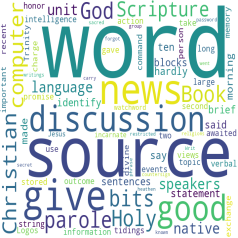
Wordcloud
Visual frequency maps of related terms and concepts, revealing the semantic landscape around any keyword at a glance.
Visual
🖼️
Images
Curated photo collections stored locally for each keyword — dozens of relevant images available for any research or publishing need.
Curated Media
🎬
Video
Relevant video content indexed and organized per keyword, giving every research profile a rich multimedia dimension.
Multimedia
📰
Articles
Long-form written content aggregated from authoritative sources — up to 40+ articles per keyword, filterable and browsable.
Aggregated
📡
Newsfeed
Live and recent media source links organized by keyword — keeping content profiles fresh with the latest coverage from 21 sources.
Live Sources
🛒
Shopping
Commercially relevant products and merchandise tied to each keyword — enabling e-commerce integration within any content profile.
Commerce
🔊
AI Speech
Text-to-speech audio output of AI-generated definitions — turning every keyword profile into a listenable, accessible knowledge brief.
Accessibility

Built for depth,
designed for speed.

Dynamic Page Engine
A single PHP template renders any combination of Topic Area, keyword, and content type on demand — no page rebuilds, no manual updates. The engine adapts in real time to navigation state.
📦
Static HTML Export
Every Topic Area can be published as a standalone, shareable static HTML site — perfect for client deliverables, offline use, or embedding into other web properties without any server dependency.
🤖
AI-Generated Context
Locally deployed AI Models generate and store definitions per keyword, providing instant authoritative summaries that can be read on-screen or listened to via built-in audio playback.
🔍
Info Mode & Filters
A toggleable Info Mode overlays contextual metadata across the interface. Granular content-type filters let you zero in on exactly the data streams you need for any keyword.
🗂️
Topic Area Management
Create, delete, and navigate between multiple research Topic Areas. Each Topic Area maintains its own keyword list, content freshness timestamps, and domain metadata — fully self-contained.
🔗
Deep-Link Navigation
Every view state — Topic Area, keyword, content type, and filter combination — is fully encoded in the URL, making any page bookmarkable, shareable, and directly accessible without re-navigation.

From keyword
to full profile in minutes.

1
Select or Create a Topic Area
Choose an existing topic domain or declare a new one. Topic Areas are the root of every research session — define the subject universe you want to explore.
Setup
2
Browse or Add Keywords
Navigate the keyword list within a Topic Area — add new named entities, topics, or concepts. Each keyword becomes an autonomous content profile.
Organize
3
Choose a Content Type
Switch between Dictionary, Wordcloud, Images, Video, Articles, Newsfeed, or Shopping using the content-type selector. Each view pulls from its own data source.
Explore
4
Use Functions & Filters
Apply monochromatic function icons to refine, navigate, or transform the content view. Toggle Info Mode to see metadata layers. Resolve missing content automatically.
Refine
5
Publish as Static HTML
Export any Topic Area as a fully self-contained static website — complete with images, article counts, and direct links for every keyword. Ready to share, deploy, or deliver.
Publish

Publish anywhere,
no server needed.

Every Topic Area generates a publication-ready HTML index listing all keywords with thumbnail images, content type counts, and direct deep-links — deployable as a standalone site.

🎸
Johnny Cash
country_music / johnny_cash
34 img
12 vid
31 art
20 shop
🤠
Merle Haggard
country_music / merle_haggard
37 img
11 vid
32 art
20 shop
🎵
Waylon Jennings
country_music / waylon_jennings
29 img
6 vid
27 art
20 shop
🎤
Willie Nelson
country_music / willie_nelson
29 img
5 vid
33 art
20 shop
patentperspectives.com

A full encyclopedia,
one click to publish.

patentperspectives.com is a live, publicly accessible static HTML export generated directly from the platform's Publish function — with the Dog Breeds Topic Area as its subject. Every breed is a keyword. Every page is a self-contained content profile. No CMS, no server-side processing, no database queries. Just clean static HTML on a domain, serving hundreds of fully populated breed profiles to any device, anywhere.
300+
Dog Breeds Published
40–58
Images Per Breed
21
Media Sources Per Keyword
20
Shopping Results Per Breed
1
AI Voice Definition Each

300+ breeds. Every one a
complete content profile.

patentperspectives.com was generated in its entirety from the platform's Publish function — static HTML, live images, AI speech audio, articles, videos, shopping, and 21 media news sources, per breed. No backend required to serve it. That is the output of one Topic Area, one click.

Visit patentperspectives.com →

Six tools, one
dropdown away.

The platform ships with a built-in extension menu accessible from any keyword view. Each extension launches a specialized tool in its own window — layering advanced AI, search, and media capabilities directly onto the active Topic Area and keyword context with zero configuration.
🎞️
Local
Slideshow
Launches an immersive full-screen image carousel for the active keyword using locally cached photos — with optional audio narration playing in sync as each slide advances.
Auto-advances through local image library
Audio narration toggle built in
Returns to app context on close
📈
API
Google Trends
Pulls real-time interest-over-time data for the active keyword directly from the Google Trends API and renders an interactive graphic — showing search momentum without leaving the platform.
Live API call per keyword
Interest-over-time visualization
Contextual to active Topic Area + keyword
🔎
Local
Power Search
Opens an advanced keyword search interface scoped to the active Topic Area — enabling deep text-matching across the keyword inventory to surface related terms, gaps, and organizational patterns.
Full-text search across Topic Area keywords
Reveals gaps and groupings
Runs locally — no external calls
🎨
AI · Local
PopArt
Uses a locally hosted Stable Diffusion model to generate a stylized AI image for any keyword — producing original artwork grounded in the keyword's semantic context, saved directly to the keyword's media library.
Stable Diffusion on local hardware
Keyword-informed prompt generation
Output saved to keyword image library
📄
AI · Local
PDF Glossaries
Scans locally stored PDF documents associated with the active keyword and uses an AI model to extract and synthesize a structured glossary — turning dense reference material into browsable, cited definitions.
Processes locally stored PDFs
AI-synthesized glossary output
Scoped to active Topic Area + keyword
🗃️
Local
JPG / EXIF
Reads and displays the embedded EXIF metadata from locally cached JPEG images for the active keyword — surfacing camera data, timestamps, geolocation, and technical specs embedded at capture time.
Reads EXIF from local keyword images
Camera, date, GPS, and spec data
No external API — fully local
⚙️
Context-aware by design. Every extension receives the active Topic Area name, keyword, and user ID automatically when launched — so there is no setup required and no re-entry of context. Each tool opens in its own window and returns control to the main app when closed, preserving your place in the keyword list. Extensions marked Local run entirely on the host server with no third-party calls; those marked API make a single outbound request to the named service.
keywordbuttons.com

Symantic Search
Wizard.

The Symantic Search Wizard at keywordbuttons.com is a dedicated companion application built on top of the Patent Perspectives engine. It provides a guided, step-by-step interface for discovering semantically related keywords — then routes them directly into any Topic Area inside app.fleshner.com for immediate content aggregation and publishing.
Companion App
Symantic Search Wizard
keywordbuttons.com
Live Integration
Core Platform
Keyword Intelligence Engine
app.fleshner.com
Seed Term
Clusters
Select
Export
Analyze ▶
Semantic Clusters — 8 terms identified
Johnny Cash
Merle Haggard
Waylon Jennings
Hank Williams Sr.
Willie Nelson
Dolly Parton
Patsy Cline
Kris Kristofferson
4 terms selected → Topic Area: country_music
Send to App →
What the Wizard Does
From one seed term
to a full keyword list.
🧠
Semantic Cluster Discovery
Enter any seed term and the wizard expands it into a structured cluster of semantically related keywords — surfacing names, concepts, and entities you may not have considered.
Guided Selection Interface
Step through the wizard's four-stage flow: seed term → cluster analysis → term selection → Topic Area export. Each stage is a single focused decision.
📤
Direct Topic Area Injection
Selected keywords are routed directly into the target Topic Area on app.fleshner.com — triggering automatic content aggregation across all seven content types.
🔄
Iterative Expansion
Run the wizard multiple times from different seed terms against the same Topic Area — progressively enriching the keyword inventory with each pass.
Wizard Workflow — Four Stages
Stage 01
Enter a Seed Term
Type any topic, person, concept, or phrase into the wizard's search field. This becomes the semantic anchor for the entire discovery run.
Stage 02
Analyze Clusters
The wizard processes the seed term and returns a ranked list of semantically related keywords organized by conceptual proximity.
Stage 03
Select Terms
Check or uncheck individual cluster results to build a precise keyword selection. The wizard shows which terms are already present in your Topic Area.
Stage 04
Export to Topic Area
Send the selected keywords directly to your chosen Topic Area on app.fleshner.com. Content aggregation begins immediately — no further action required.

Six lenses on
every screen.

Toggle Info Mode to activate the interface anatomy pulldown — a live guide that explains exactly what each zone of the app does and how to use it.

Heading Buttons
Function Icons
Content Type
List Section
Message Area
Middle Section
Interface Zone 01
Heading Buttons
The top navigation bar anchors the entire session. Four buttons define the primary navigation axes of the platform.
Topic Areas — Switches the list to show all top-level topic domains.
Keywords — Displays all keywords registered within the current Topic Area.
Items — Reveals all discrete content items within the active keyword/content type.
Filters — Opens filter controls to constrain what content is surfaced.
Builder's Perspective
A publisher running a music history site could organize their app with Topic Areas per era, keywords per artist, and use Filters to surface only articles and images — suppressing shopping content for editorial purity.
Interface Zone 02
Function Icons
The monochromatic icon cluster provides operational control over the active list without leaving your current context.
Add ( + ) — Opens the builder form to register new entries into the current context.
Delete ( × ) — Removes the currently selected Topic Area or keyword with confirmation.
Navigate ↑ ↓ — Steps up or down through the ordered list, updating all downstream context automatically.
Resolve — Detects and repairs missing content records automatically.
Info Toggle — Activates or deactivates Info Mode, enabling the full section pulldown.
Builder's Perspective
A research analyst building a competitor intelligence Topic Area can use Navigate to step through 50 companies, using Resolve to flag and fill any keywords where content hasn't been fully aggregated yet.
Interface Zone 03
Content Type Selector
The multi-colored button cluster is the heart of the browsing experience. Each button instantly reloads the Middle Section with a different content stream.
Articles — Long-form written pieces aggregated from authoritative sources.
Dictionary — AI-generated definitions with optional audio playback.
Wordcloud — Visual frequency map of semantically related terms.
Images — Locally cached photo library, curated and ready for embedding.
Video / Newsfeed / Shopping — Media, live coverage, and commerce layers switchable in one click.
Builder's Perspective
An e-commerce operator could default their app to Shopping view for every keyword, using Articles as supplementary editorial context — configuring a product discovery engine on top of the same infrastructure.
Interface Zone 04
List Section
The scrollable left-panel list is the primary navigation spine of the app. It dynamically reflects whatever Heading Button is active.
Dynamic context — The list updates in real time as you navigate without full page reloads.
Freshness timestamps — Each Topic Area entry displays its last-updated timestamp.
Pagination counter — Displays current position for navigating long keyword lists.
Builder's Perspective
A training organization could populate the List Section with hundreds of exam topic keywords, letting learners step through them sequentially — turning the list into a structured study queue.
Interface Zone 05
Message Area
The Message Area is the system's feedback layer — a persistent status zone that surfaces contextual guidance and operational messages.
Action confirmations — Confirms successful adds, deletes, navigations, and resolutions.
Current Location panel — Displays the active Topic Area, keyword, content type, and view mode at all times.
Resolve prompts — When missing content is detected, surfaces the repair workflow inline.
Builder's Perspective
A team using the platform collaboratively can rely on the Message Area as a shared status layer — knowing exactly where in the content hierarchy a colleague is working.
Interface Zone 06
Middle Section
The Middle Section is the primary canvas — the main rendering zone where all content streams are displayed.
Dictionary view — Renders the AI-generated definition with audio playback controls and transcript.
Image gallery — Displays locally cached photos in a browsable grid.
Article list — Shows aggregated article links, headlines, and source metadata.
Video / Shopping / Newsfeed — Each content type renders its own optimized layout in this same zone.
Builder's Perspective
A documentary filmmaker could live in the Middle Section — cycling through Images, Articles, and Video for each keyword subject, building a rich media brief without ever leaving the app.
💡
Pro tip: Info Mode is designed to be left on during setup. As you build out a new Topic Area, each pulldown selection explains exactly what you're configuring — making the platform self-documenting for new users and collaborators.

A platform, not
a product.

The Topic Area/keyword/content architecture is a general-purpose content intelligence foundation. Whatever your domain — publishing, research, commerce, education — the same engine that powers a Dog Breeds encyclopedia can power your idea.
📰
Editorial Publisher
Build a topic-driven content hub where each keyword is a subject area. Use Articles and Newsfeed as the primary view, surface AI definitions as intros, and publish each Topic Area as a standalone magazine-style static site.
Topic Areas = Magazine sections
Keywords = Story subjects
Output = Static editorial site
🔬
Research Portal
Organize a deep-dive research environment with Topic Areas per discipline and keywords per concept or entity. Use Dictionary for AI summaries, Articles for source material, and Wordcloud for semantic mapping.
Topic Areas = Research domains
Keywords = Concepts / entities
Output = Shareable research briefs
🎓
Learning Encyclopedia
Create structured educational content where Topic Areas are courses and keywords are lesson topics. AI Speech turns every entry into a listenable audio brief — making the system accessible for all learning styles.
Topic Areas = Courses / subjects
Keywords = Lesson topics
Output = Audio + visual study guide
🛍️
E-Commerce Discovery
Use Topic Areas as product categories and keywords as brand or product names. Set Shopping as the default content type and use Images as visual merchandising. Publish as a static catalog — no CMS required.
Topic Areas = Product categories
Keywords = Brands / SKUs
Output = Static shoppable catalog
🗺️
Location Intelligence
Map geographic contexts as Topic Areas and use keywords for local entities — restaurants, landmarks, events. Aggregate Images, Articles, and Newsfeed to build rich local guides or travel content.
Topic Areas = Regions / cities
Keywords = Places / entities
Output = Static local guide
🏢
Competitive Intelligence
Structure Topic Areas as market verticals and keywords as competitor names. Use Articles and Newsfeed for live tracking, Wordcloud for positioning analysis, and export fresh reports as static HTML for stakeholders.
Topic Areas = Market verticals
Keywords = Competitors / products
Output = Stakeholder intel reports
The same engine.
Infinite applications.
Because every Topic Area, keyword, and content type is defined entirely by the user, the platform imposes no domain constraints. You bring the taxonomy — the engine handles aggregation, AI enrichment, and publishing automatically.
01
Define your taxonomy. Name your Topic Areas and keywords to match your specific domain — no schema to conform to.
02
Let the engine aggregate. Content streams are automatically populated per keyword across all seven media types.
03
Enrich with AI. Locally deployed AI tools using LLMs or Stable Diffusion — no prompting required.
04
Discover with the Wizard. Use the Symantic Search Wizard at keywordbuttons.com to rapidly expand any Topic Area from a single starting term.
05
Publish your way. Export as a static site, use the live dynamic app, or deliver directly as a standalone HTML package.

Get Started

Your keywords.
Fully realized.

Launch the platform, discover keywords with the Symantic Wizard, and start building content-rich profiles for any topic — from research and prototyping to fully published static sites like patentperspectives.com.

Open the App Try the Symantic Wizard →